

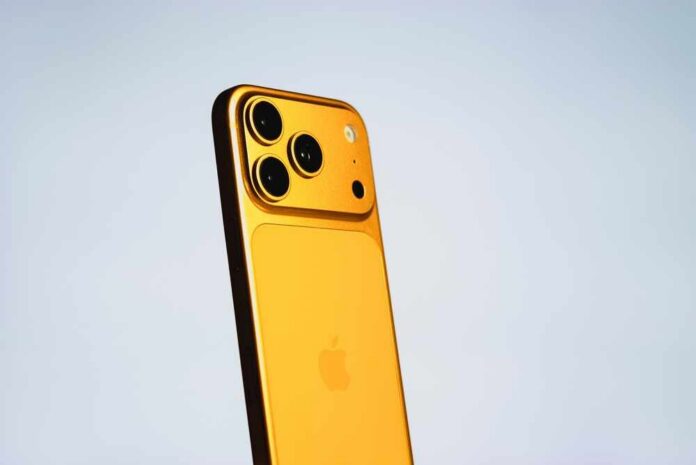
A fresh iOS 27 update is making iPhones run out of battery faster this week, and Apple says that early drain is normal, not a defect.
Story Highlights
- Many users report faster battery drain after installing iOS 27 in the first days.
- Apple’s guidance says to wait a few days because background tasks finish after updates.
- Troubleshooting sites tie the drain to reindexing Photos, Mail, and search data, not bad hardware.
- If drain continues past several days, users should check Battery settings and adjust high-use features.
What iPhone Owners Are Seeing After iOS 27
Users who installed iOS 27 report faster battery drain, warmer phones, and shorter screen time during the first few days. A common pattern appears across models and ages. The first 48 to 72 hours feel the worst while the system does heavy background work.
One roundup calls fast battery drain the most reported iOS 27 issue and says it is expected early on while the phone reindexes data for search and media. These reports match past major iPhone updates.
Why your iPhone, iPad may die faster this week https://t.co/sMzoWQQ5rQ
— KSN News Wichita (@KSNNews) September 14, 2026
Some testing reports claim better battery in iOS 27 compared to iOS 26 once the phone settles, but those gains do not always show up right away.
Early beta tracking showed lower screen time and higher overnight drain on first builds before improving in later versions, which suggests change over time as software stabilizes. That mixed picture explains why some users panic, while others say battery life looks fine after a short period.
Why Battery Life Drops Right After Updates
Apple’s published guidance, as summarized in reporting, says short-term battery loss after an update is normal. Apple directs users to wait a few days and check again, because certain update tasks continue in the background and can affect battery life.
Third-party explainers say the iPhone rebuilds search indexes, analyzes the Photos library, syncs cloud data, and updates app databases. Those jobs raise processor use and drain the battery faster for a limited time.
This background work hits heavier on phones with large photo or message libraries. A longer setup window is common on devices with years of content and many installed apps.
That can stretch the high-drain period toward the end of the first week, though most users see relief sooner. These steps are not signs of a failing battery. They are part of getting the new system ready so features like search, memories, and mail work smoothly on iOS 27.
How To Manage Power While iOS 27 Settles
Owners can take a few simple steps while the phone finishes its background work. Users should keep the phone charged and on Wi‑Fi when possible to let indexing complete faster. Users should go to Settings, then Battery, to see which apps or system services use the most power.
Users can limit location access, turn off background app refresh for heavy apps, and reduce always-on display time if their model supports it. Users should avoid drastic steps before the background tasks complete.
iOS 27 is finally releasing to the public tomorrow!
Some of the big changes include: All new Siri AI (not in the EU), overall stability, major Liquid Glass upgrades, battery life improvements, and so much more.
iOS 27 has really been one of the smoothest and most reliable… pic.twitter.com/MKVpEywEVn
— Jay’s Tech (@jaydenstech) September 13, 2026
If the phone still drains fast after several days, users should review any new features that constantly pull data or keep the screen awake. Users should check mail sync settings, live activities, widgets, and high-refresh display modes.
Power drain that stays high beyond a week may point to a misbehaving app or a rare software bug, not a design flaw across all devices. Users can also check Apple’s developer notes for known power fixes in recent builds.
What This Means For Everyday Users
Most iPhone owners do not need to replace batteries or roll back software because of the first-week drain. The weight of credible guidance frames the issue as a short, expected phase, not a long-term hit to battery health.
The practical move is patience for a few days, paired with simple settings checks. Reports that call iOS 27 “broken” on battery do not reflect the broader data once indexing ends and the system calms down.
Tech giants often share little before launch on battery impact. That leaves users sorting rumor from fact and fuels worry when phones run hot on day one. Clear steps and straight talk help families who rely on their phones for work, safety, and faith life.
The bottom line is simple: give iOS 27 a few days to finish its chores, keep an eye on Battery settings, and then judge the real battery life after the dust settles.
Sources:
fone.tips, ios27beta.com, macobserver.com, tenorshare.com, ithinkdiff.com, developer.apple.com